
365 Project
It’s a new year, and I can’t say that I’m sorry that 2020 is in the rear view mirror. To celebrate 2021, I’ve decided to shoot every day of the year. This will sharpen my skills as a photographer and hone my visual skills. After all, you don’t need an expensive camera to create good images, you can take great pictures with your phone as long as you are observant. So in 2021 I plan to: Observe, Imagine and Create.
The following are the best images I created during the first 5 days of 2021.

Day 1

Day 2
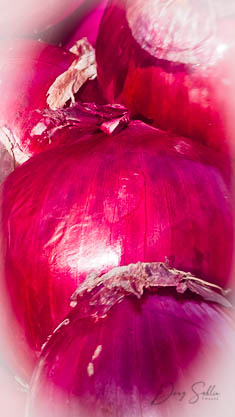
Day 3

Day 4

Day 5
Skin Smoothing in Lightroom 10
Lightroom 10 has a plethora of new features in Lightroom 10, including a better way to smooth skin. I explain the process in the following video from my YouTube Channel. If you like the video, please subscribe to my channel and give the video a thumbs up. If you have any questions, or suggestions, leave them in the Comments section below the video.
To Subscribe to my channel, click this link: Subscribe
Detail Sharpening in Photoshop
In this video tutorial, professional photographer and Photoshop instructor Doug Sahlin shows you an effective way to sharpen details in Adobe Photoshop CC. This technique works in older versions of Photoshop as well.
Using Lightroom’s Auto-Sync Feature
In the following video, professional photographer and Lightroom instructor Doug Sahlin shows you how to use the Lightroom Develop Module’s Auto-Sync feature to streamline your workflow.
Creating a Copyright Preset in Adobe Photoshop Lightroom Classic CC
In this video tutorial, professional photographer and Lightroom instructor Doug Sahlin shows you how to create a copyright preset in Adobe Photoshop Lightroom Classic CC.
Creating a Slideshow in Adobe Photoshop Lightroom
In this post, professional photographer and Lightroom instructor Doug Sahlin shows you how to create a video slideshow in Adobe Photoshop Lightroom.
Recent Comments