
Early Morning Meditation with the Fuji X-100

Foggy Morning
misty velvet hand,
shrouds the dawn of a new day,
the tide rushes in.
Lensbaby – A Creative Toolset for Digital Photographers
The Lensbaby line of bodies and optics are ideal creative tools for photographers who want to create unique images. Lensbaby optics are not perfect. When you create a photo with a Lensbaby optic, parts of the image will be blurry. But that’s the beauty of the Lensbaby system. Creative photographers embrace the uniqueness of each optic and after they learn how to use them, they adapt them to their personal style of photography and “romance the blur.”
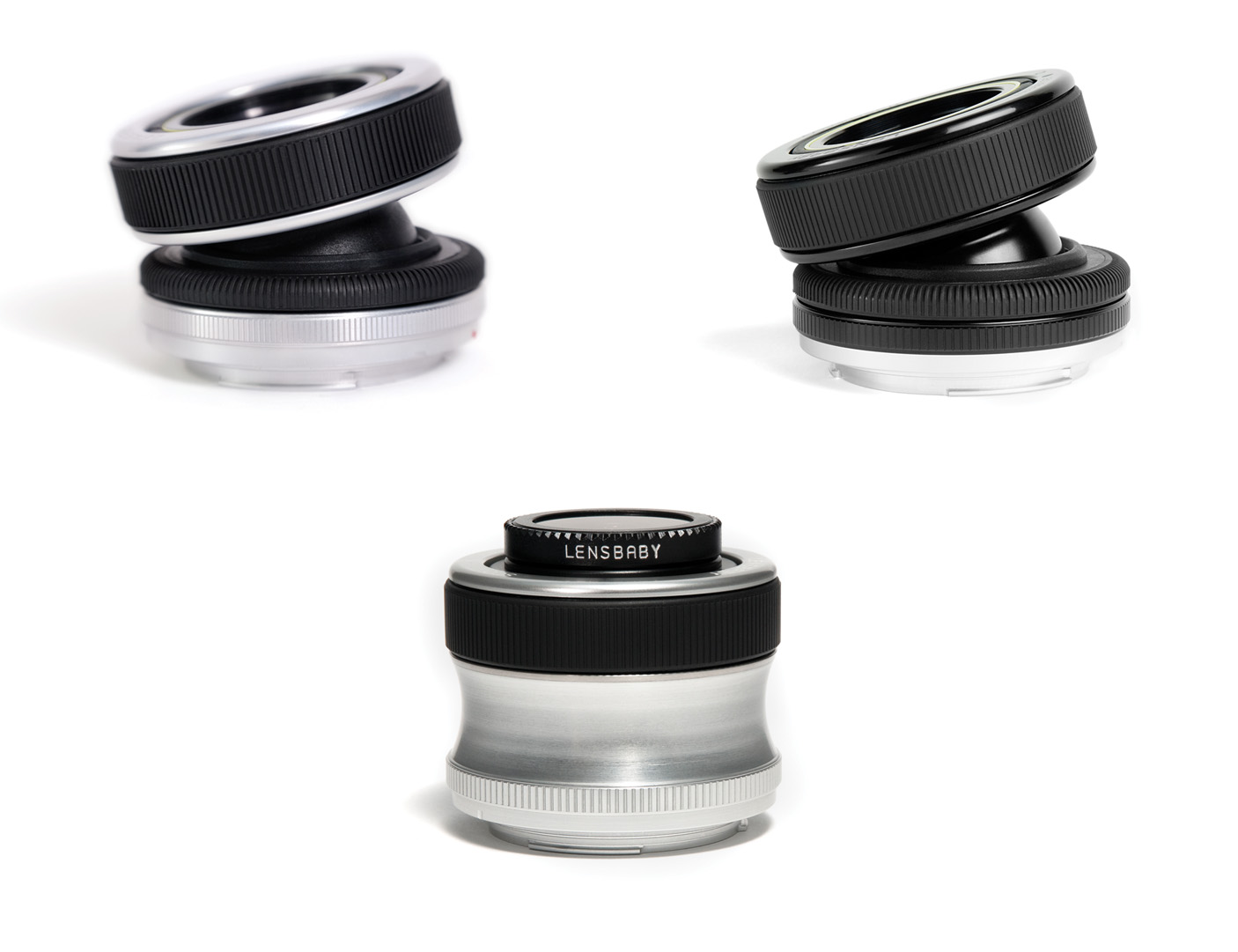
Lensbaby Composer, Composer Pro and Scout bodies!
When photographers use a Lensbaby body and optic for the first time, there is a bit of a learning curve. A Lensbaby body does not focus automatically and doesn’t communicate with the camera, which means you must set the aperture manually. On all optics except the Edge 80, Pinhole/Zone Plate, and Sweet 35, you manually insert a magnetic aperture disk into the body to determine the amount of light that enters the camera. You change the aperture with the Edge 80 and Sweet 35 optic by rotating the aperture ring at the end of the optic. The Pinhole/Zone Plate optic has a fixed aperture. Newer digital cameras will set the exposure automatically when you create photographs with a Lensbaby in Aperture Priority mode. However, with some older Nikons, you must manually set the exposure by choosing the the proper shutter speed based on the chosen aperture.
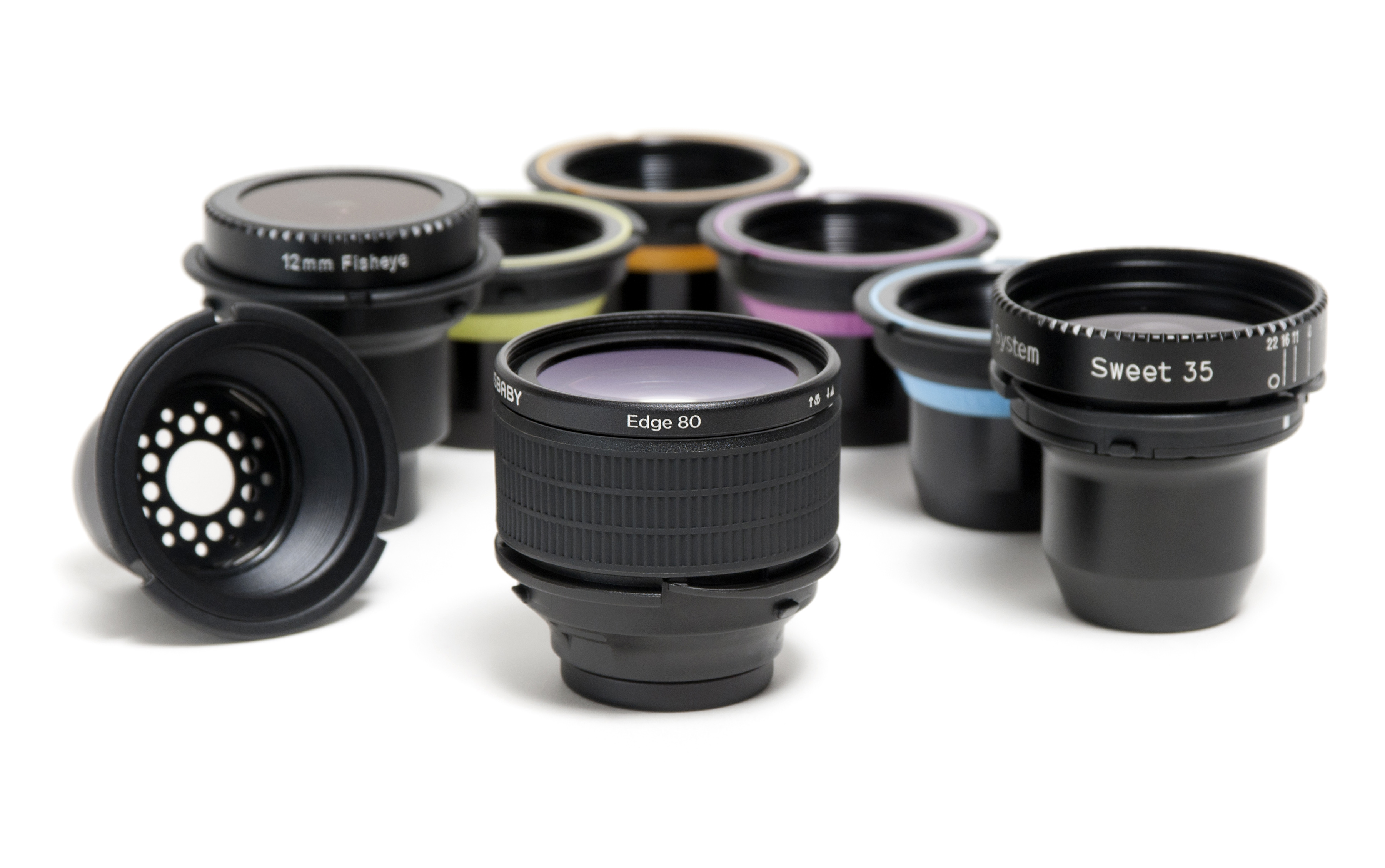
The Lensbaby Optic Swap System
Composition is also a challenge with the Lensbaby system. With all optics except the Fisheye, Soft Focus, and Pinhole/Zone Plate, you bend the Lensbaby body to determine which part of the image the Sweet Spot of Focus appears in. You change the Sweet Spot of Focus by bending the Lensbaby body. The Scout is the only Lensbaby body that doesn’t bend, and is therefore ideal for the Fisheye, Pinhole/Zone Plate and Soft Focus optics. After you place the Sweet Spot of Focus, you achieve focus by twisting the focus ring on the Lensbaby Composer, Composer Pro, or Scout, or by pulling the outer ring of the lens body toward you with the Muse and Control Freak. Needless to say, there is a learning curve when you photograph with the Lensbaby system.
The type of subject matter you can photograph with the Lensbaby system is only limited by your imagination. Photographers have used the Lensbaby system to photograph weddings, portraits, landscapes, cityscapes, and much more. In fact, most of the Lensbaby optics also do an awesome job when used to photograph small objects such as insects and flowers. The following slide show features some of my favorite images created with Lensbaby optics and accessories.
The Lensbaby system offers something for just about every photographer. To find out more about the Lensbaby system, click here: Lensbaby website.
About the author: Doug Sahlin is a professional photographer and author living in Venice, Florida. His latest book shows photographers how to master the Lensbaby system and become more creative photographers. To learn more about the book, download a sample chapter, or to purchase the book, click here: Mastering the Lensbaby: A step-by-step guide to mastering your Lensbaby and becoming a more creative photographer.
Welcome to My Digital Photography Blog
Hi! I’m Doug Sahlin, a best-selling author of digital photography books, and a professional photographer. I’ve had a love affair with photography that spans five decades. I feel more alive when I have a camera in my hands, and I’m more observant as well. In this blog I’ll post information about new products, my books, tips and tricks, and I’ll also share resources and my latest images. Please feel free to leave comments about my blog posts.
You Tube and the Photographer
Wouldn’t it be great if you could put a slideshow of your most recent images in your blog? Embedding a video in a blog would involve quite a bit of sophisticated HTML. Another disadvantage is bandwidth. If your blog gets a lot of visitors, downoading a large video file is going to take its toll on your monthly bandwidth allotment. You can however, post a video slideshow at YouTube.com. All you need to do is create a free account and upload some videos. Once you have the video uploaded, it’s a simple matter of playing the video on YouTube, and copying the code from the Embed text field and then pasting it into your blog. Embedding a YouTube video in a blog post is a great way to showcase your work. The following is a slide show that is hosted at YouTube.
Ask Before You Shoot
I saw this crusty character rescuing a rowboat that had obviously been in the water for a long time. I asked if I could take a picture while he worked. After he said yes, I took a couple of pictures. It’s always safer to ask someone if you can take their picture than trying to sneak in a couple of shots. It’s a lot safer too. I edited the image in Lightroom 2 and then used the Silver Efex Pro plugin to convert the image to black and white.

Street Life
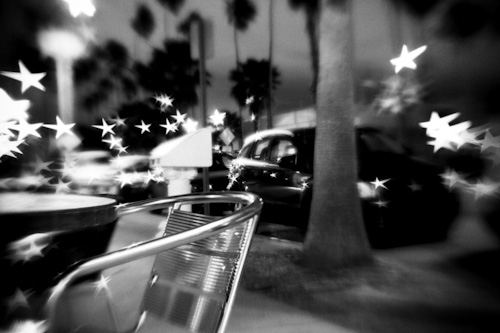
I love the gritty look of high speed black and white film. I also enjoy street photography. Street photography at night poses problems. You end up with long exposures which means you’ll get noise in the shadow areas of your image. The Canon EOS 5D MKll does a remarkable job at high ISOs with barely a trace of noise. I shot the following images with a Lenababy Composer with the Creative Aperture Star insert, which equates to f/4.0. This aperture insert creates star wherever there’s an out of focus highlight. I processed the images in Lightroom using the NIK Silver Efex Pro plug-in to emulate the look of Kodak Tri-X black and white film.

Recent Comments